Brendon Rice

Get focused with a dashboard that tracks everything.

01 · The problem

Your business lives in twenty tabs.

Email in one place, invoices in another, website stats, hosting, payments, socials and a spreadsheet for everything else. Each tool does one small job. You're the one holding it all together, and that's what wears you out.

Logins20
Places to check20
Things to remember47
20 logins, 20 places to check, and one tired brain.

One login. One screen. Everything talking to each other.
02 · How it works

Connect. Organise. Act.

The dashboard sits on top of the tools you already pay for. It pulls everything into one place, sorts it, and turns it into clear next steps.

01

Connect

It plugs into your email, accounts, payments, websites, ads and servers. Nothing to replace.

02

Organise

Everything is sorted into what needs you, what's handled and what's coming up.

03

Act

An assistant turns it into next steps: replies drafted, tasks delegated, reports written. You approve.

03 · What you see

Everything you check, on one screen.

Every dashboard is built around one business. These are the parts most people start with.

Inbox

Your inbox, already read.

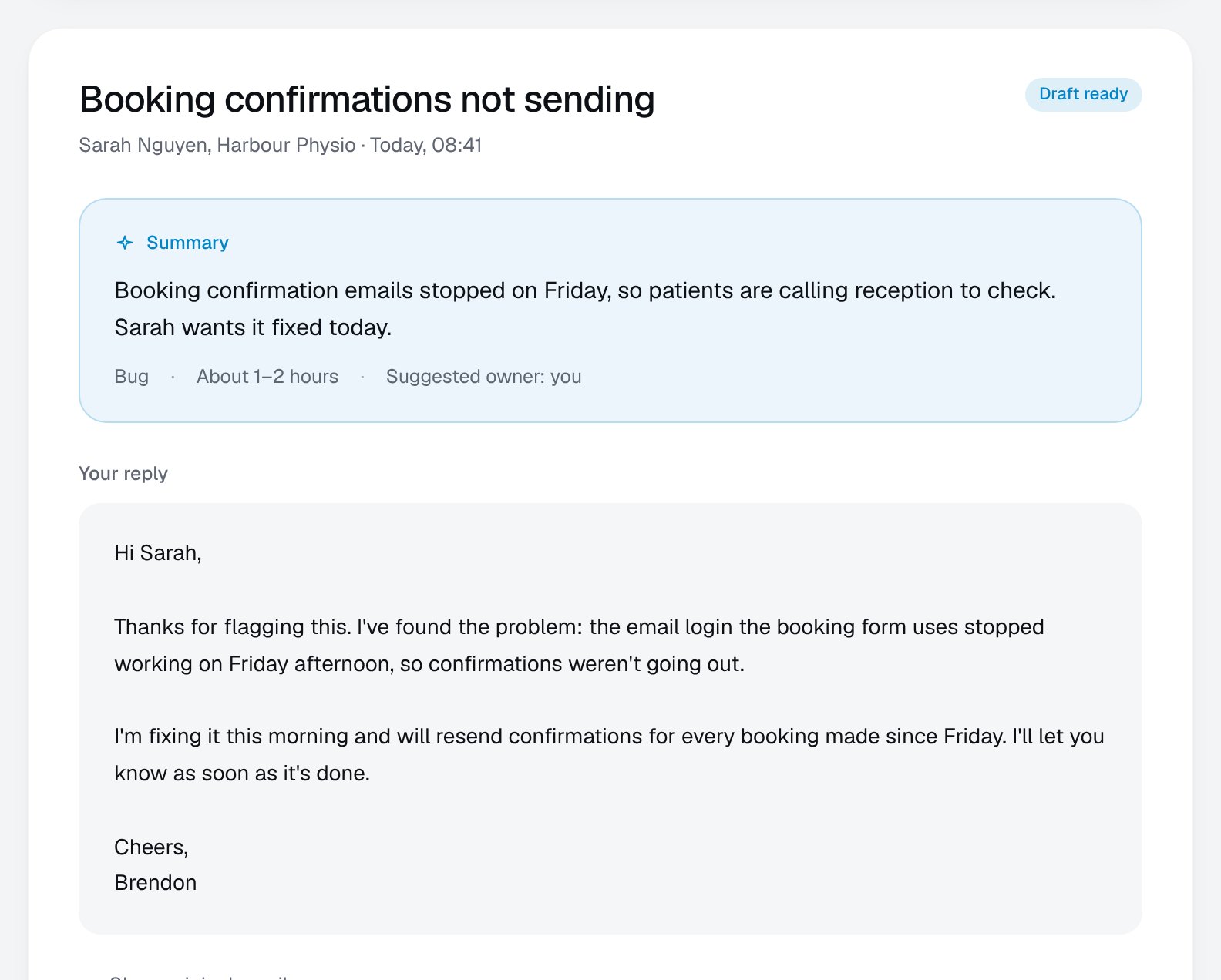
Every email is summarised, sorted and given a drafted reply. You check it, tweak it, and send.

  • A one-line summary of what they want
  • A time estimate and who should handle it
  • A reply drafted in your voice
Inbox with an AI summary and a drafted reply
Security

Problems found before your clients notice.

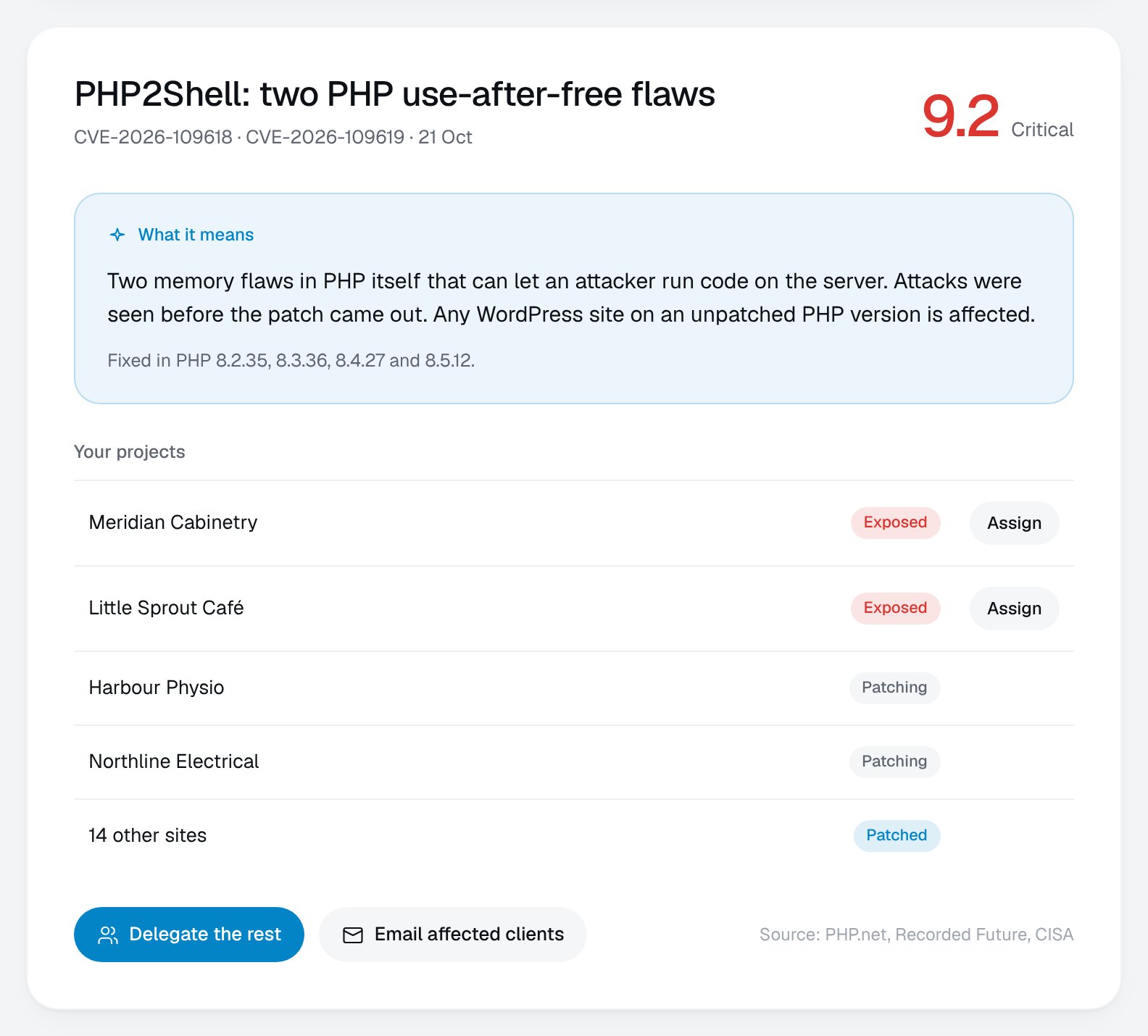
New security advisories are matched against the sites and apps you actually run, so you only hear about the ones that affect you.

  • Explained in plain English
  • Every affected project listed
  • Hand it to a developer in one click
Security advisory with the affected projects
Clients

Every client, remembered.

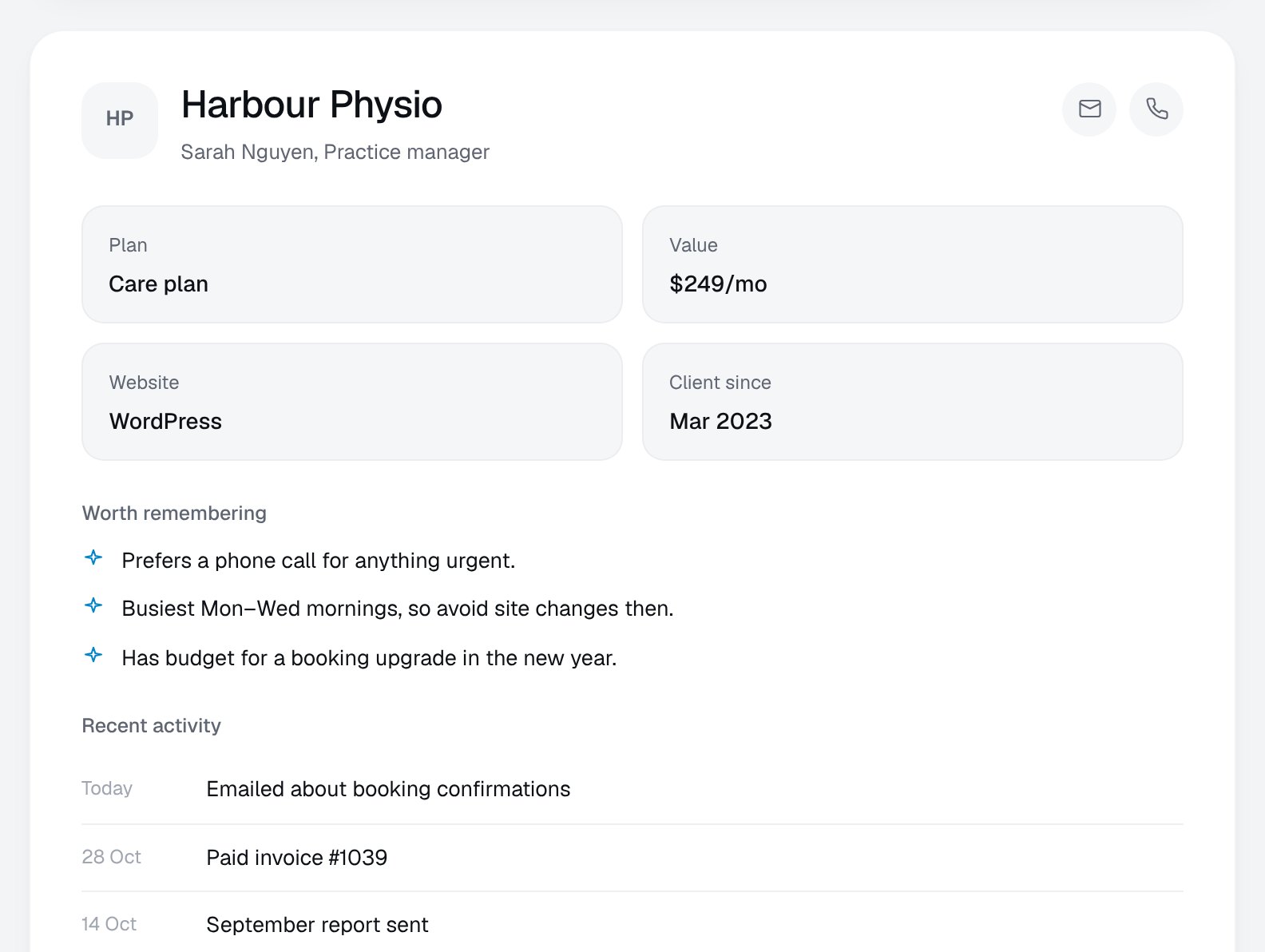
Plans, sites, open work, and the little things worth remembering, like who prefers a phone call and when not to touch their site.

  • One page per client
  • Notes that surface when they matter
  • Recent emails, invoices and work
Client page with notes worth remembering
Systems

Know it's all running.

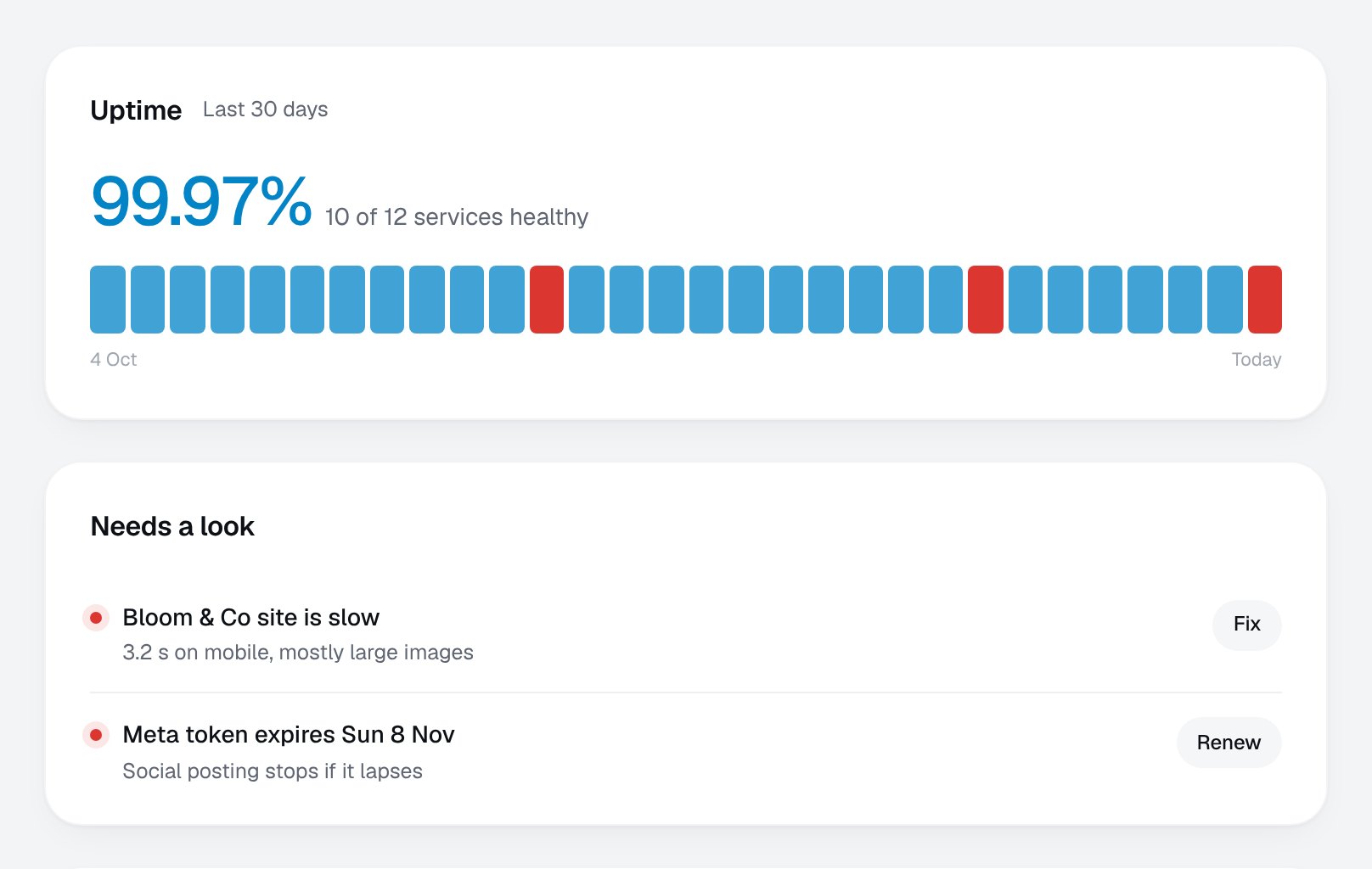
Servers, backups, payments, integrations and automations are checked every minute. When something drifts, it tells you what to do.

  • 30-day uptime at a glance
  • Only the problems are highlighted
  • Backups and renewals never forgotten
Systems page with uptime and services
Assistant

Ask it anything.

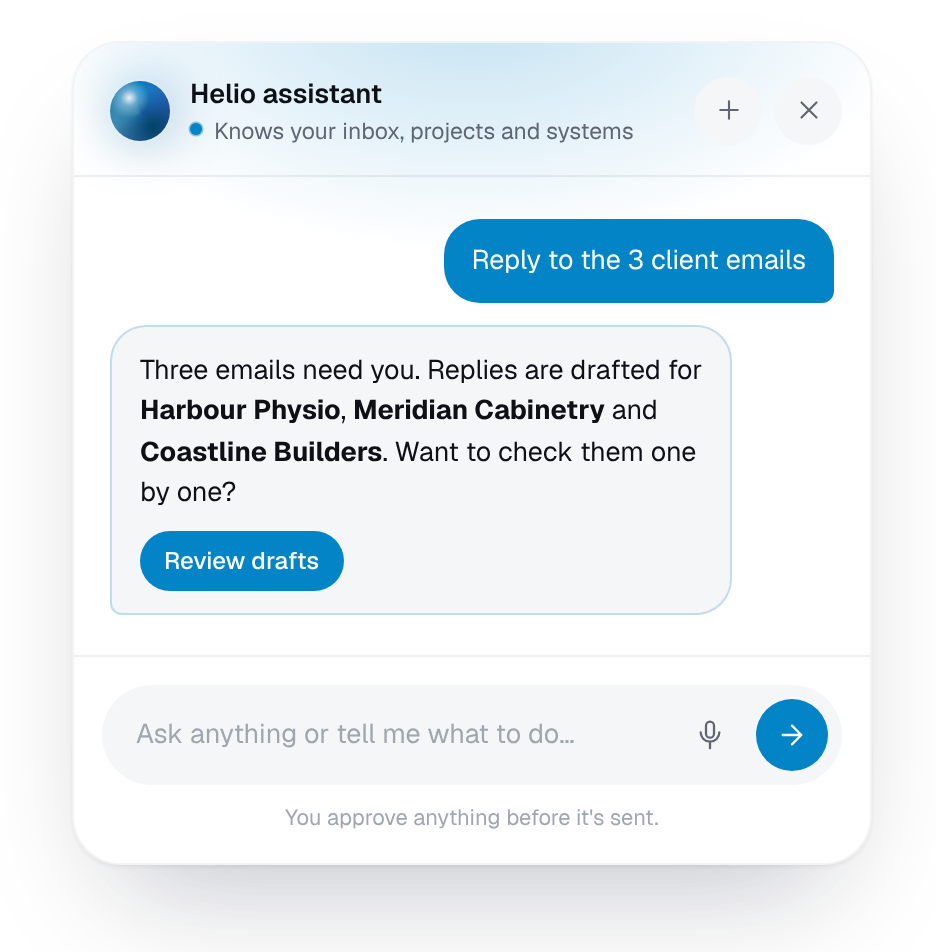
An assistant that knows your inbox, projects and systems. Ask what's due, or have it draft, delegate or summarise for you. Nothing goes out until you approve it.

  • Plain-English questions
  • Answers that link straight to the work
  • You stay in control
The dashboard's AI assistant answering a question
04 · The difference

Give your mornings back.

Checking everything one tool at a time eats the best hours of the day. With it all in one place, the morning check takes minutes. The rest of the time goes back into growing the business.

Checking everything separately1 h 55 m
Email
Accounts
Web stats
Hosting
Socials
Follow-ups
Spreadsheet
With your dashboard20 m
Brief, drafts, tasks
1 h 35 m back for the work that grows the business
1½ hrsback on a typical morning

Less to remember

The dashboard holds the details, so your head doesn't have to.

Nothing slips

Renewals, follow-ups and fixes surface before they become problems.

More time to grow

Hours spent checking become hours spent on clients and new work.

Illustrative example for a small service business. Your numbers will depend on your tools.

05 · Where it lives

On your server. In your pocket.

Your dashboard runs on a server you own, not someone else's platform. Log in securely from your desk, your laptop or your phone.

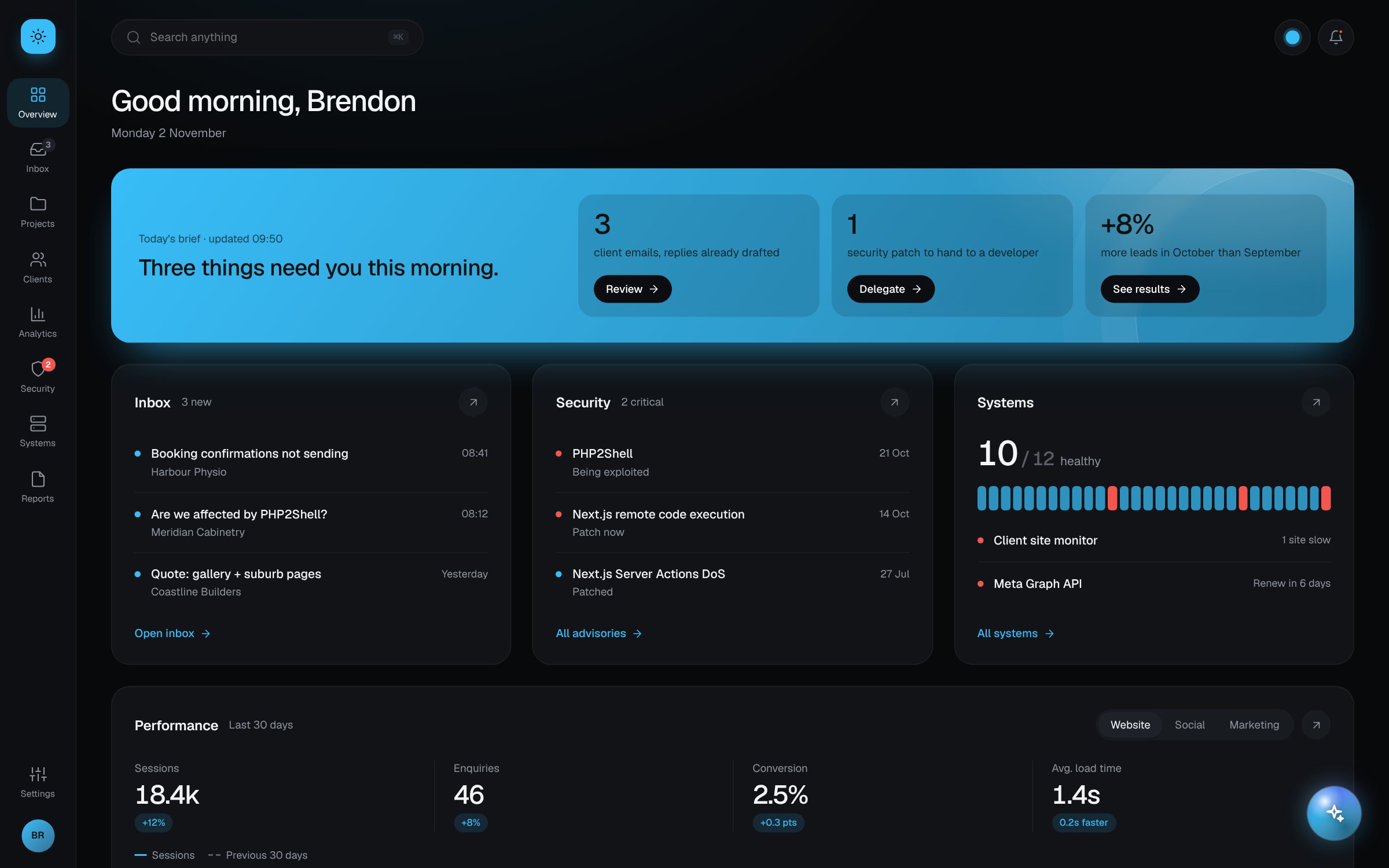
The dashboard in dark mode on a laptop
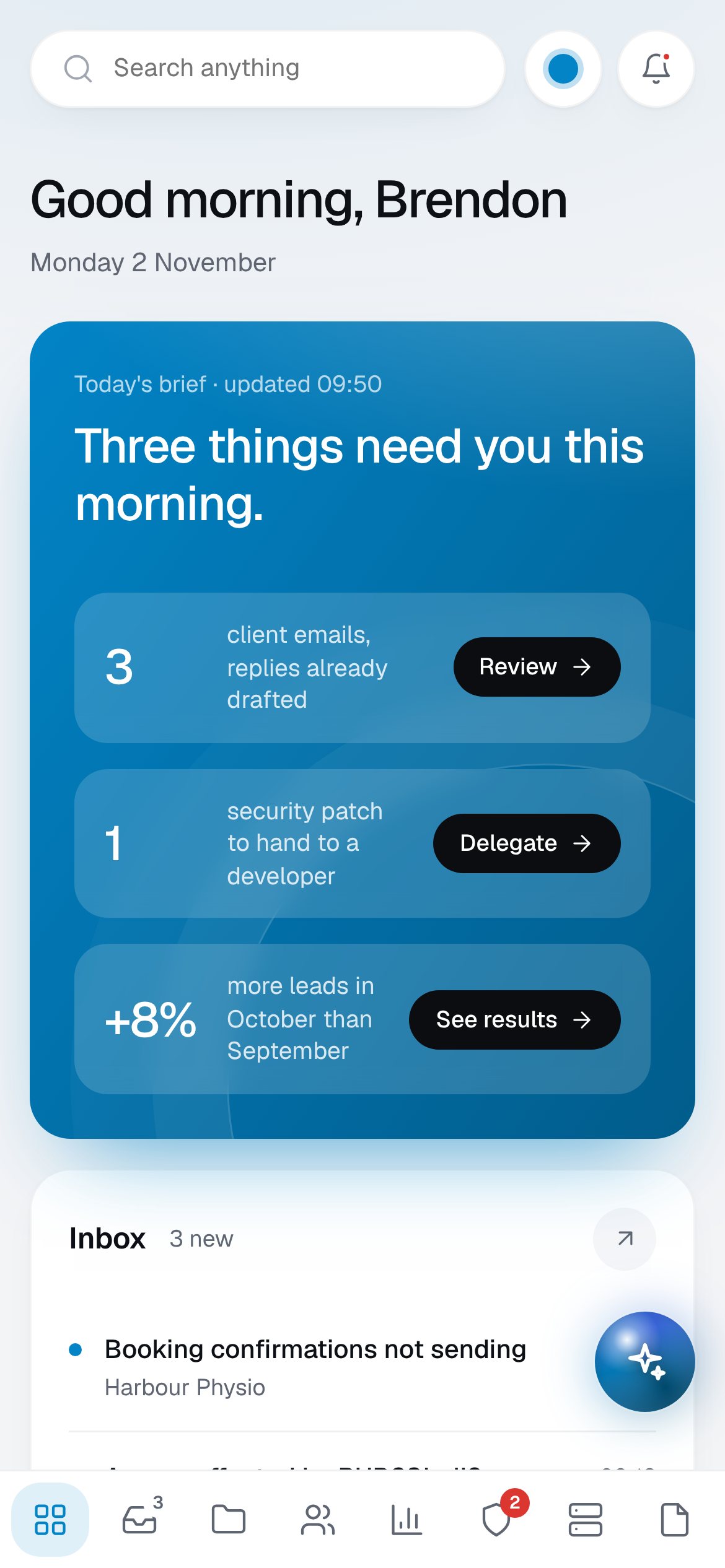
The dashboard on a phone

Your own server

Hosted on your server or cloud account, set up and looked after for you.

Open anywhere

Desktop, laptop or phone, with a secure login.

Yours to keep

No per-seat fees and no lock-in. The code is yours.

Grows with you

Start with a few tools and add more when they're worth it.

06 · Made for you

In your colours.

Built around your brand, in light or dark. Try it.

Colour
Mode
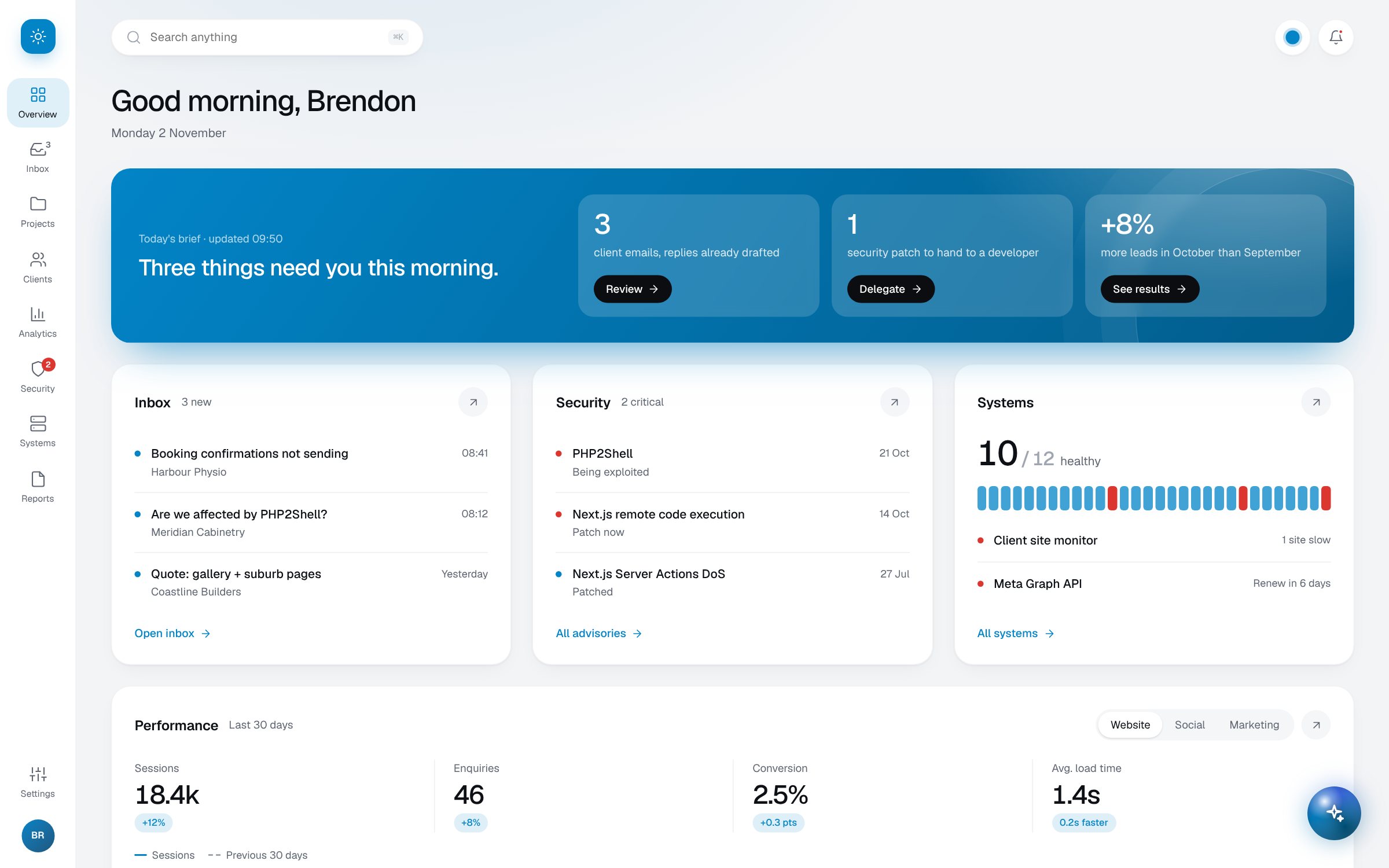
Dashboard preview in the chosen colour
07 · Getting started

Start small. Not a big-company price.

You don't need to connect everything on day one. Start with the tools you check most, use it every day, and add to it as it earns its keep.

1

Pick your three

We start with the three tools you check most and build your overview around them.

2

Use it every day

It goes live on your server. You use it, and tell me what's missing.

3

Add as you grow

Bring in more tools, automations and the assistant when they're worth it.

Fixed quoteNo per-seat feesYou own the codeHosting and care available
08 · Questions

Good questions.

What can it connect to?

Most tools you log in to: email and calendars, accounting, payments, Shopify and WordPress sites, analytics, ad accounts, social media, hosting and more. If you're not sure about one, just ask.

Do I have to replace the tools I use now?

No. The dashboard sits on top of them. Your accounting, email and payments stay exactly where they are.

Where is it hosted?

On a server you own or rent, set up and looked after by me. You log in securely from any browser, on any device.

Who can see my data?

Only you and the people you give a login to. Your data stays on your server rather than in another company's platform.

What does it cost?

It depends on how many tools you want connected. You get a fixed quote up front, and there are no per-seat or monthly licence fees.

Clear your head. Run it from one place.

Book a free 20-minute call. Tell me what you check every day, and I'll show you what a dashboard for your business would look like.

Try the live demo
Emailbrendon@brendonrice.com.au
Phone0406 529 815
BasedBrisbane, QLD
Brendon Rice — Interface to infrastructureAvailable for contract work